

Which Aviator game is this?
The Aviator game is SPRIBE's multiplayer crash game, recognisable by an aircraft and a number that climbs during its flight. The central question in a round is whether a cash-out is accepted while the flight is still in progress. There are no cards to arrange and no aircraft controls to master. If the game on your screen has a cockpit, landing gear and a steering control, you have found a flight simulator with a different purpose.
The studio credit is the most useful identifying detail after the title. Look for SPRIBE where the game opens or in its information panel. The same lobby can present several games with aircraft or rockets in their artwork. A rising number on a red background can suggest the right family of games while still belonging to another title. A name, a studio and one detail from the actual round make a much stronger match than the colour of a thumbnail.
In this catalogue the entry belongs with individual games that can be recognised across different lobbies. An operator app is a separate product that may give access to a collection. Someone looking for the Aviator game can therefore use this page without knowing the name of the app where they first saw the plane. Someone trying to recover an existing account needs that account's own provider.
Follow the countdown, flight and result
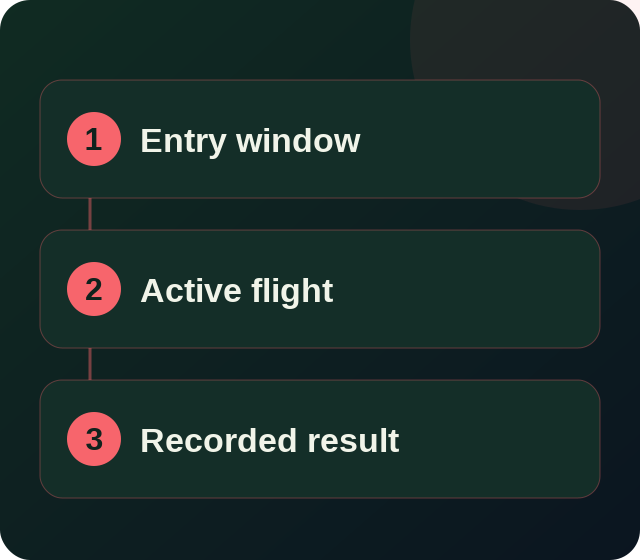
A round is easiest to read as a sequence of three screen states. Before take-off, the screen prepares for the next round. During the flight, the changing multiplier is the number to follow. When the aircraft departs, that flight has ended and the completed outcome can be shown in the results. A number belonging to a completed flight means something different from a figure still changing in the centre of the screen.
Observe the labels as well as the animation. A button visible during the countdown might refer to an entry for the upcoming round. A control active during a flight may refer to cashing out a position already in that round. If you only have a still image, these two states can look surprisingly similar. To describe a screenshot accurately, say whether the aircraft was already moving and what the button actually said.
When watching an example, keep your attention on one flight until it ends. A crowded interface may show recent results while the following round is already starting. Reading across several parts of the screen without checking their labels can create an impossible account of events, such as a cash-out appearing to precede a countdown. One complete set of states gives you a clearer picture than a collection of unrelated high multipliers.
Read a multiplier with an example in practice credits
A multiplier tells you how a starting amount relates to the return at an accepted cash-out. Suppose a fictional demonstration starts with ten practice credits and records a cash-out at one and a half times the original amount. The gross return is fifteen credits. Five credits are the difference between that return and the ten used for the example. Keeping those two figures separate makes a results display much easier to understand.
Now imagine that the same flight ends at two times the original amount. A screenshot taken at the end will show a different multiplier from the one applied to the earlier cash-out. Both figures can be correct. The larger one belongs to the end of the shared round, while the earlier one identifies the point where the example position closed. Looking at the completed flight alone cannot tell you what happened to any particular participant's position.
The reverse case matters as well. If the flight has ended before a cash-out is accepted, multiplying a starting amount by the last number visible on the screen will not reconstruct a return. Settlement depends on the recorded action and the round rules. A display number is a piece of information about the game state. It becomes a personal result only when it belongs to a recorded event for that entry.
Why a completed graph cannot predict the next flight
A row of completed multipliers records earlier rounds. You can use it to practise reading decimal values and recognising where a previous flight ended. It has no scheduling information for the next departure. A short sequence of low values may look like a pattern because people naturally group nearby numbers together. That visual grouping is different from a rule connecting one result to a future one.
Consider two handwritten lists containing the same five numbers in different orders. In the first list the two largest numbers sit beside each other. In the second they are separated. Both lists have the same average, yet a reader might invent a different story about streaks from each. Rearranging a finished list changes the story without adding a single piece of information about a future round. This is a useful way to understand the limits of a graph shared after a result.
A request for an Aviator predictor sometimes starts with a perfectly reasonable question about checking a past outcome. Keep the two tasks separate. A system that allows a completed round to be verified does so using information associated with that round. A claim to know an upcoming crash point in advance would require entirely different evidence. A cropped history, a screen recording or someone typing a number in a chat does not establish that ability.
What an Aviator demo can show
A demonstration is useful for identifying the controls and learning how the three round states look on your own screen. SPRIBE's product reference is the starting point for the studio's presentation of Aviator. Whether a playable demonstration is offered to you can depend on the site, device and access conditions. Read the mode label before treating a screen as a practice session. The word Demo on a search result is less informative than the mode shown inside the game.
Use a practice screen to answer concrete questions. Can you see the countdown while the rules are open? Which label changes after take-off? Where does the completed round appear once the aircraft is gone? You can answer all three by watching the interface. None requires comparing your score with another person's or drawing conclusions about a future financial result. A screenshot of each state can help if you are learning the vocabulary in a second language.
A recorded preview is useful for a different task. It shows the appearance and order of events, but its controls belong to the video player. Pausing it freezes the recording, and moving its progress bar revisits an earlier image. If tapping the aircraft reveals video controls or a time stamp, you are looking at footage. That explains why the round seems to pause or why a button pictured inside the video has no effect.
What Aviator app download and APK mean on Android
An Aviator APK search describes a file format and a game name. It does not identify the publisher of a particular Android package. SPRIBE's studio page identifies the game. A separate app supplied by a particular operator would have its own publisher, package name and account arrangements. This catalogue has no confirmed standalone installer to offer for the SPRIBE game. The Install control opens the configured installation offer. Its destination is separate from the studio’s documentation and does not verify a standalone package.
If you already have an app on Android, use its app information screen to identify it. Start with the app you actually opened, then find its publisher or store details where available. Someone may have saved a website shortcut to the launcher and remembered it as an app. Opening a shortcut typically leads to a browser context, while a packaged app appears in the device's installed apps list. The same aircraft picture can appear in either place.
When asking someone else which version they meant, request the public game title, studio and name of the surrounding app. These details are enough for an initial comparison. A file forwarded under a title like Latest Aviator contains no trustworthy identity information just in its filename. If the only link you have points to a different publisher with a plane-themed arcade game, you have identified a different product, even if both names contain Aviator.
Read the flight on a small screen
A phone display can give the impression that a flight is still running after a network interruption. The clearest clue is often the surrounding status text, such as a connection indicator or a message about reconnecting. A moving graphic alone cannot confirm that the current state has reached the device. On returning to a session, read the round identifier and recorded outcome before trying to interpret the final image you remember.
To see why this matters, imagine watching two phones beside each other. One connection briefly stalls during a flight while the other receives the completed result. The two devices can show different frames at the same instant. That difference does not create two results for the same round. Screen recording times, notification overlays and mobile video compression can introduce similar misunderstandings when a friend sends a clip from their phone.
For an easier reading experience, arrange the phone so the centre number, the round status and any result message fit together. A software keyboard or a floating chat window can conceal one of these areas. Close the overlay and read the full message before repeating any action. Turning the phone sideways may change the layout. The studio and round identifier remain better reference points than the exact position of a control.
Find a missing result or a lookalike title
A missing on-screen result is best investigated with the game name, round reference and the provider that hosted the session. If a history screen is available, find the exact date and time and note the time zone. Record the difference between the general round outcome and the entry you recognise. A person investigating the report needs to know whether the whole round is missing or only an individual action seems absent.
For a demo held in the browser, opening a new tab or clearing site data can change what local information remains visible. Preserve a redacted picture of an error before refreshing a page on which it is still displayed. Hide account details and private notifications before sharing it. A ticket saying which screen failed to load and which reference was visible provides much more detail than a message saying only that the plane stopped.
If the game never opened, return to the identity questions at the top of this page. Search the catalogue for the individual title, confirm the studio and follow the reference for the product you intended to research. A local availability notice on one provider's surface describes that surface at that moment. It cannot decide whether the same game is available throughout India or whether an unrelated download elsewhere is genuine.
Keep the game and the host on the same note
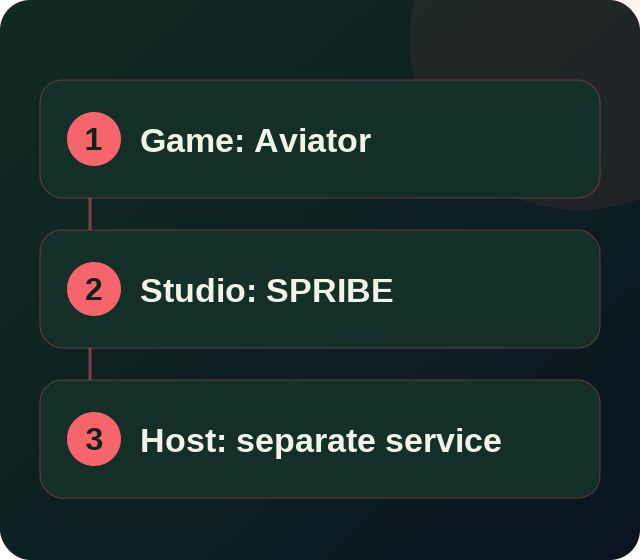
A useful bookmark for Aviator contains the game title and studio alongside the name of the host you visited. If you saved a link to the studio, label it as a product reference. If you saved an operator's help page, label it with that operator's name. Six months later, this simple distinction makes it much easier to find the explanation of a flight or to direct an account question to the right place.
When a friend shares a flight clip, ask them to include the round time and identify whether it was a recorded example or a live session. That little bit of context usually answers the question more reliably than comparing aircraft colours or guessing from the size of the final multiplier.
Aviator questions
Is the Aviator game a flight simulator?
SPRIBE presents Aviator as a multiplayer crash game. The plane illustrates a rising multiplier during a flight.
Where can I find the Aviator demo?
The SPRIBE product reference identifies the studio presentation. A playable demo may depend on the destination and access conditions.
Does Aviator have a standalone Android APK here?
A confirmed installer has not been supplied for this catalogue. An operator app requires its own publisher and package details.
Can an Aviator predictor read the next flight?
A public history of completed flights gives no basis for identifying an upcoming crash point. Round verification concerns a completed result.
What does Aviator game online describe?
It usually refers to accessing the SPRIBE title through a host website. The game developer, host account and permission to access a service remain separate questions.
Is an Aviator game app always a standalone APK?
The words can refer to a platform application, browser access or a shortcut. No standalone Android package is verified or distributed by this profile.
Aviator game is real or fake: which product is meant?
SPRIBE documents the named game. That does not authenticate every installer, website or prediction tool carrying the Aviator name. Match the specific developer and source before drawing a conclusion.
Sources for this product
Artwork: User-supplied app artwork. The image does not establish an official publisher affiliation.